

API keys
Send your key as a bearer token on every request:
Create and revoke keys in the dashboard under Developers → API keys. A key is shown once; store it in your secrets manager, never in your repository or in client-side code. Give each service its own key so you can revoke one without touching the others.
OAuth for apps
If you are building an app that other Relay customers connect to, such as an integration in a marketplace, don’t ask them for an API key. Register an OAuth app in the dashboard and use the authorization code flow with PKCE. Your app gets a token scoped to what the customer approved.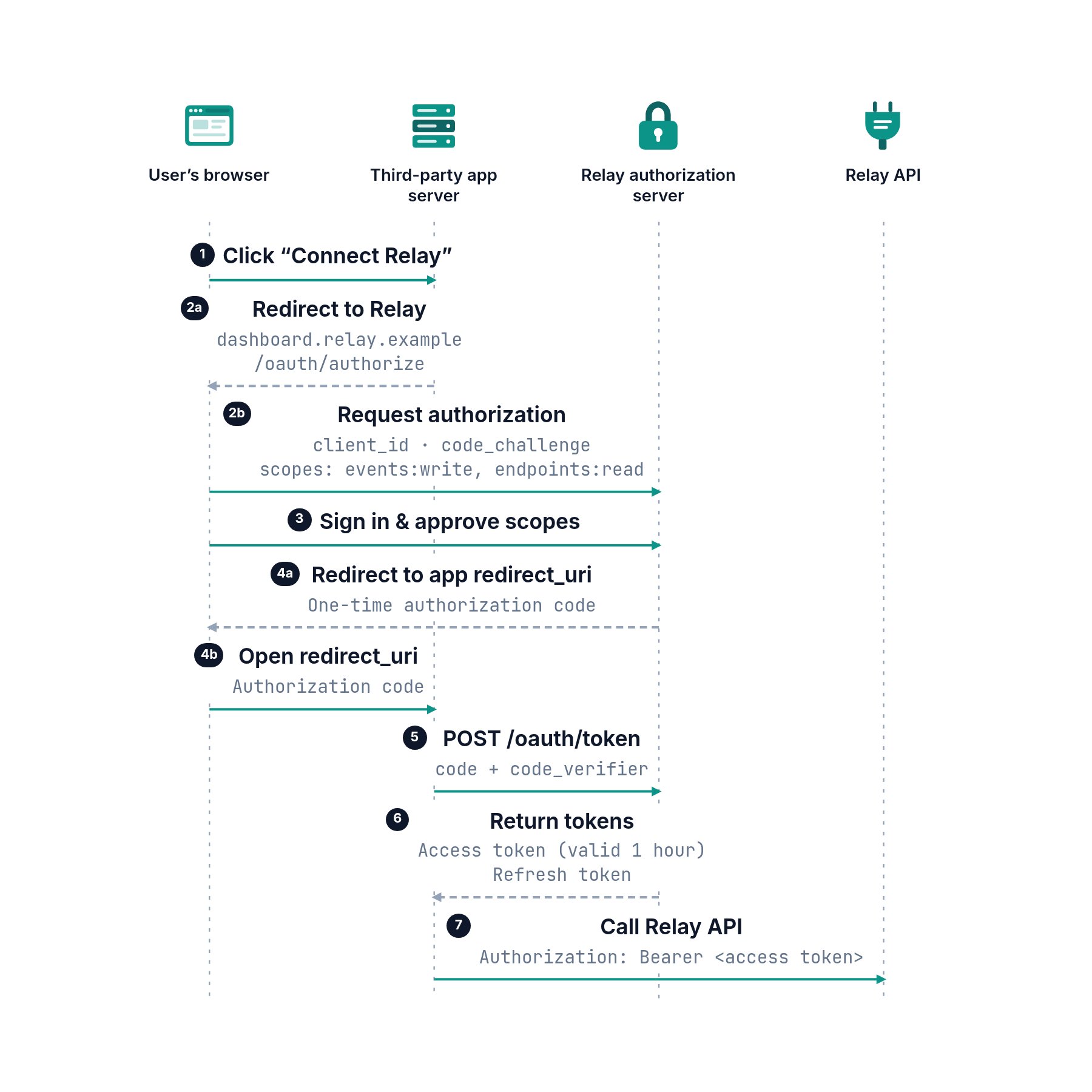
The customer approves your app once; your server exchanges the code for tokens and calls the API with the access token.
grant_type=refresh_token to get a new one; each refresh returns a new refresh token, and the old one stops working.
Scopes
Ask for the fewest scopes your app needs. Customers see the list before they approve.